











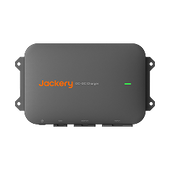
![[Add-on] Jackery Manual Transfer Switch for Explorer 5000 Plus](http://ca.jackery.com/cdn/shop/files/add-on-jackery-manual-transfer-switch-for-5000-plus-240V.webp?v=1757043692&width=170)







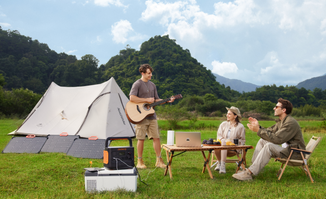
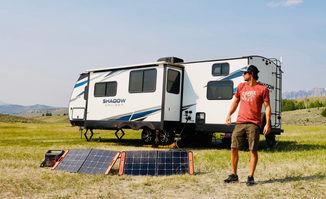





Cellular dead zones in the Canadian Rockies, the Maritimes, and the vast stretches of Northern Canada are the bane of modern travel. For digital nomads and RV enthusiasts relying on inconsistent LTE data results in dropped video calls, geo-IP lockouts, and the constant anxiety of disconnection. In extreme cold, maintaining a connection drains device batteries rapidly, compounding the frustration.
Star link internet has emerged as the reliable standard for overcoming these barriers. The service transforms remote regions from digital black holes into viable workspaces. This guide covers the essential hardware, service plans, and power requirements needed to maintain high-speed connectivity while exploring Canada’s most rugged landscapes.
Understanding Starlink Internet Performance in Canada
Starlink service covers almost the entire Canadian landmass. Connectivity exists from the southern border to the high Arctic wherever the dish has an unobstructed view of the sky. However, users near the border may occasionally find their traffic routed through U.S. ground stations, which can temporarily affect geo-restricted content.
Real-World Speeds and Latency
Download speeds typically range from 50–150 Mbps. Unlike traditional satellite internet, star link internet provides low latency (25–50ms), making the service the only satellite option capable of supporting real-time video conferencing and VoIP calls without significant lag.
Variable Factors Affecting Stability
Performance relies entirely on a clear line of sight. Canada’s geography presents specific challenges:
- Tree Canopy: Dense forests in British Columbia and Ontario can obstruct the signal.
- Deep Valleys: Parking at the base of a steep cliff in the Rockies may limit the visible sky.
- Congestion: Speeds may fluctuate during peak evening hours in popular camping areas.
The Northern Reality
Service in the Yukon and Northwest Territories is robust due to polar satellite orbits. While coverage is consistent, users in extreme northern latitudes may experience slightly higher latency compared to southern regions.
Weather Resilience
Starlink hardware handles rain and snow effectively, though heavy downpours can cause rain fade or temporary speed reduction. Crucially for Canadian winters, the dish features a built-in heating element to melt snow and ice. This snow melt mode ensures the signal remains clear during blizzards but significantly increases power consumption.
Choosing the Right Hardware for Your RV
Selecting the correct hardware depends on your travel style and vehicle setup.
Starlink Mini
Starlink Mini is the best choice for rapid deployment and high portability. The unit fits in a backpack and can be mounted on a sunroof or set up on a picnic table. This hardware is ideal for weekend trips where space is at a premium and power consumption must be minimized.
Standard Kit (Gen 3)
The Gen 3 Standard Kit is the workhorse for most RVers. This dish offers a wider field of view than the Mini and includes a more powerful router, providing better Wi-Fi coverage inside larger rigs. The Standard Kit is ideal for semi-permanent stops where you need a robust connection for multiple devices.
Flat High Performance
The Flat High Performance kit is the standard for long-haul rigs and users who need internet while driving. Designed for permanent roof installation, this unit is the only hardware approved for in-motion use. The High Performance dish offers the best resistance to extreme weather and maintains connection better in areas with partial obstructions.
Mounting Strategy
Roof mounts offer convenience but carry risk if you park under trees. A low-profile mount on the roof improves aerodynamics, but carrying a portable stand allows you to position the dish away from the RV to avoid tree branches.
Offline Setup
Critical Step: Download the Starlink app and run any necessary updates before you leave cellular coverage. You cannot set up the system or check for obstructions without the app, and downloading the software requires an existing internet connection.
Canadian Service Plans and Pricing
Choosing the wrong plan can lead to unexpected throttling or service interruptions.
Roam 50GB
The Roam 50GB plan suits light users who only need to check email, browse maps, or make occasional voice calls. This tier is not recommended for streaming video or remote work, as 50GB is quickly consumed by modern web usage.
Roam Unlimited
Roam Unlimited is the necessary choice for full-time remote workers, corporate VPNs, and frequent Zoom calls. The plan provides uncapped data, ensuring you don't get cut off mid-month.
Cross-Border Travel
The Mobile - Regional plan covers travel across the North American continent. If your route includes both Canada and the U.S., this option allows seamless connectivity when crossing the border without changing hardware or accounts.
Deprioritization
RV plans (Roam) are deprioritized behind residential users. In crowded cells, your speeds will drop first. Schedule heavy uploads or large file transfers for off-peak hours (late night or early morning) to ensure completion.
Cost Management
Service pausing is available on Roam plans. If you store your RV for the winter, pause billing to save money, then reactivate the account instantly when the season begins.
Powering Your Connection Off-Grid
Reliable internet requires reliable power. The Standard Starlink dish draws an average of 50–80W, but this consumption can spike significantly when the internal heater activates to melt snow.
Vehicle Battery Warning
Do not run Starlink off your vehicle's starter battery. The constant draw will drain the battery within hours, leaving you stranded in remote locations.
Portable Power Solutions
A portable power station stabilizes internet uptime without idling your vehicle. Independent power sources act as a buffer, running the internet silently and efficiently.
Extended Runtime Example
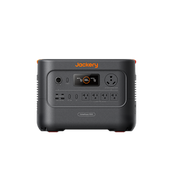
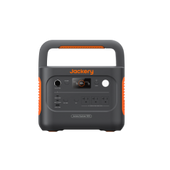
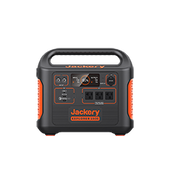
The Jackery Explorer 1000 v2 Portable Power Station is the optimal choice for long workdays off-grid. With a 1070Wh capacity, the unit can power a Starlink setup for approximately 10-12 hours of continuous use, even with moderate heater usage. Its LiFePO4 battery ensures a long lifespan, handling 4,000 charge cycles to 70%+ capacity. You can learn more about managing power needs in our guide to understanding the grid map in Canada for remote travel.
Compact Solution Example
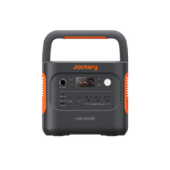
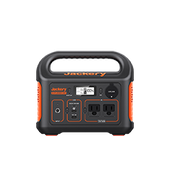
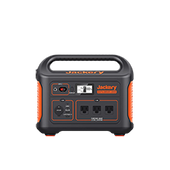
The Jackery Explorer 600 v2 Portable Power Station (640Wh) offers a balance of portability and power for lighter setups or weekend warriors using the Starlink Mini. This compact station easily supports a full evening of connectivity and fits into smaller storage compartments, weighing only 14.11 lbs.

Cold Weather Planning
Lithium batteries lose some efficiency in freezing Canadian temperatures. Plan for reduced runtime and keep your power station inside the insulated part of the RV while in use.
Solar Integration
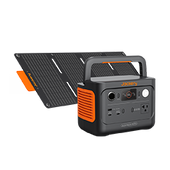
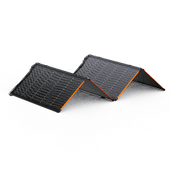
Solar panels replenish the energy consumed by the dish during the day. Integrating solar generators for RV camping in Canada creates a self-sustaining system, extending your off-grid stay indefinitely.
Optimizing Starlink for Remote Work and Safety
Getting a signal is step one; optimizing it for work is step two.
Site Survey
Use the Starlink app’s Check for Obstructions tool before unhooking your RV. Scan the sky to identify tree branches or cliffs that might interrupt the signal. Even a small obstruction can cause drops every few minutes.
Micro-Dropouts
Micro-dropouts lasting less than two seconds occur due to small branches. While unnoticeable during streaming (due to buffering), these interruptions will freeze a video call instantly. If the app shows red obstruction zones, move the dish.
VPN Considerations
Corporate VPNs increase latency on satellite connections. Combined with satellite travel time, this can cause lag. Test your connection speed before logging into critical meetings.
Emergency Comms
Starlink enables Wi-Fi calling and messaging on routes like the Dempster Highway or the Trans-Labrador Highway where no cellular signal exists. This capability makes the system a vital safety tool.
Data Management
Schedule bandwidth-heavy tasks for overnight hours (2 AM – 6 AM). Running cloud backups and large OS updates during this window prevents throttling during peak usage times.
Practical Checklists & Real-World Examples
Pre-Trip Actions
- Update Firmware: Power up the dish at home to download the latest software.
- Credentials: Save your Wi-Fi and account passwords in a local note on your phone.
- Charge Backup: Ensure your Jackery Portable Power Station is charged 100%.
Campsite Protocol
- Sky View: Park with the dish placement in mind (typically facing North).
- Secure Dish: Use sandbags or a tripod mount to prevent wind from toppling the dish.
- Speed Test: Run a test immediately to verify signal quality before settling in.
Scenario - The Nomad
Travelers using the Flat High Performance dish mounted on their roof can conduct research and answer emails while the vehicle is in motion. This setup maximizes free time at the destination by utilizing travel hours for work.
Scenario - The Explorer
Aurora chasers in the Yukon use a Standard Kit powered by a Jackery Explorer 1000 v2 Portable Power Station. This configuration allows them to live-stream the Northern Lights and monitor weather forecasts in real-time, all while keeping their vehicle engine off to avoid light pollution.
Scenario - Emergency
A traveler using the Starlink Mini gets a flat tire on a remote logging road in British Columbia. With zero cell bars, they contact roadside assistance via Wi-Fi calling within minutes, turning a potential survival situation into a minor inconvenience.
Frequently Asked Beginner Questions
Is Starlink available in all of Canada?
Yes, coverage extends across the country wherever there is a clear view of the sky.
Can I use it while driving?
Only if you have the Flat High Performance hardware and a Mobile Priority or compatible in-motion plan.
Is 50GB enough for work?
Generally no; video calls, VPNs, and background updates consume data quickly, making the Unlimited plan necessary for work.
How do I power it without shore power?
Use a dedicated portable power station like the Jackery Portable Power Stations to run the system without draining your vehicle's starter battery. Reliable off-grid energy often requires portable solar power stations in Canada to run the system efficiently.
What if I have no cell signal for setup?
You can use the Starlink app in offline mode to check for obstructions, but you must download and log into the app before leaving cellular coverage.
Conclusion
Star link internet transforms remote Canadian travel from a disconnected struggle into a fully productive experience. The service removes the tether of cellular towers, allowing you to explore the furthest reaches of the Yukon or the deepest valleys of the Rockies without sacrificing safety or your career.
Success requires the right hardware, a robust power plan using reliable equipment like the Jackery Explorer 1000 v2 Portable Power Station, and proactive data management. With these elements in place, you can push further north with the confidence that you are never truly out of reach.
For more tips on managing power during long trips, explore our article on dry camping essentials.


